
All example apps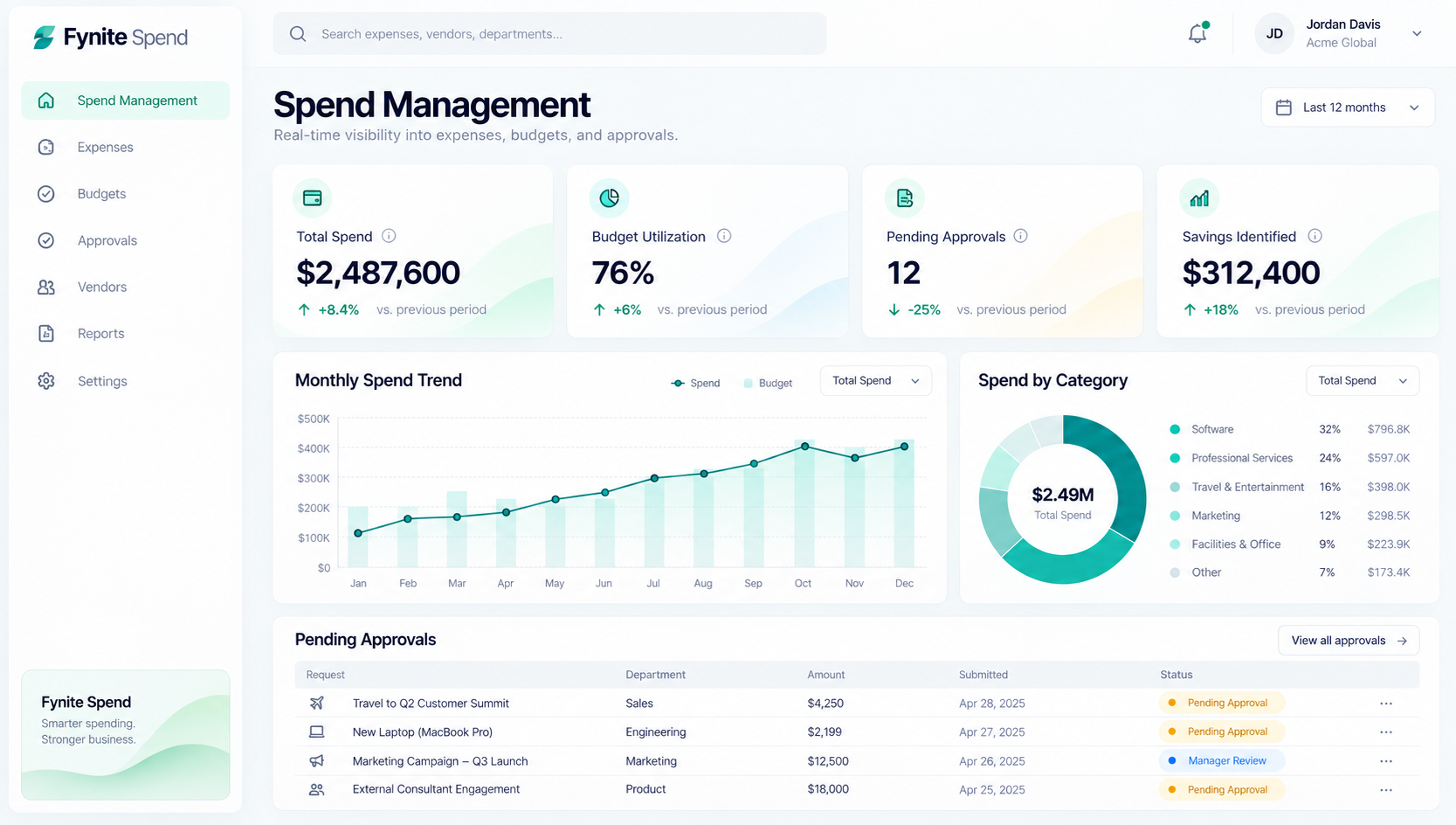
Illustrative application concept. Screen data and metrics are examples, not customer results.
Example application / Finance
Fynite Spend
Track budgets, expenses, vendors, and approvals in one place.
The requirement
Start with the work that needs to get done.
“Give finance teams visibility into spending against budget and route purchase requests to the right approvers.”
Designed for finance and procurement teams.
Inside Fynite Spend
01
Spend visibility
See expense trends and budget utilization.
02
Category analysis
Understand where money is going.
03
Approval queue
Keep requests, owners, and status together.
The operating flow
From signal to decision.
Connect the relevant data, apply the business rules, and keep people in control of exceptions.
01Collect expenses and requests
02Apply budget and policy checks
03Route approvals to owners
04Record the final decision
Keep exploring
Next: Fynite Support
Start with your requirement
Your requirements already describe the software.
Fynite turns them into a running system.